VCF Operations 9 Management Pack Marketplace
- Brock Peterson

- Jul 20, 2025
- 1 min read
Updated: Aug 17, 2025
Management Packs are now available via Marketplace in VCF Operations 9! The old days of going to Marketplace, finding the Management Pack, downloading it, uploading it to Operations, and installing it are over! Let's have a look.
Log into VCF Operations and go to Adminstration - Integrations - Marketplace.
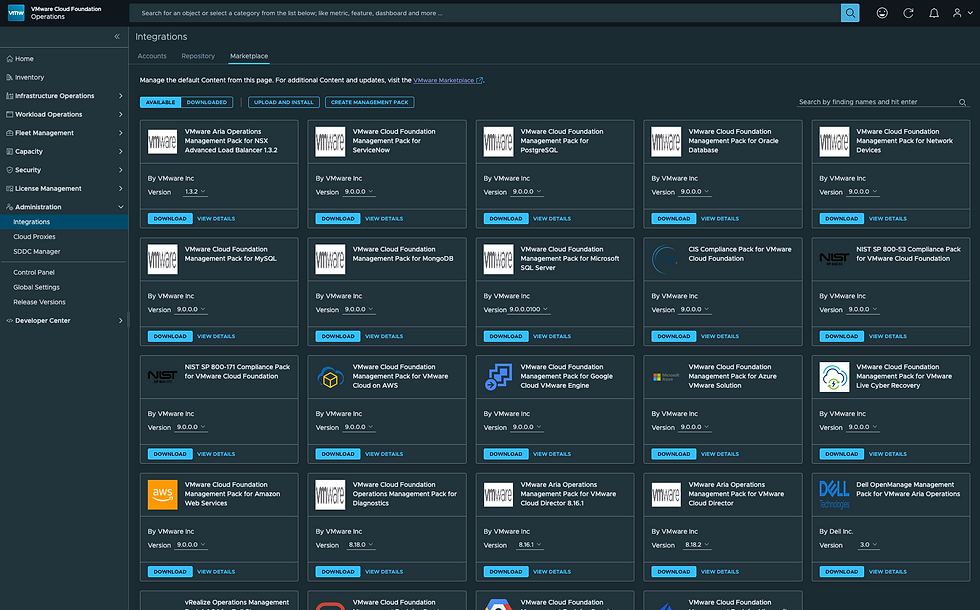
Find the Management Pack you're looking for and click DOWNLOAD, in my case I'm downloading the Management Pack for Microsoft SQL Server. You'll notice your download is in progress.

You can watch from the Fleet Management - Lifecycle - VCF Management - Tasks page.

Once downloaded, back on the Marketplace tab, select the DOWNLOADED button and you'll see the Management Pack you just downloaded.

You now need to install it. Click INSTALL, which will give you a prompt.
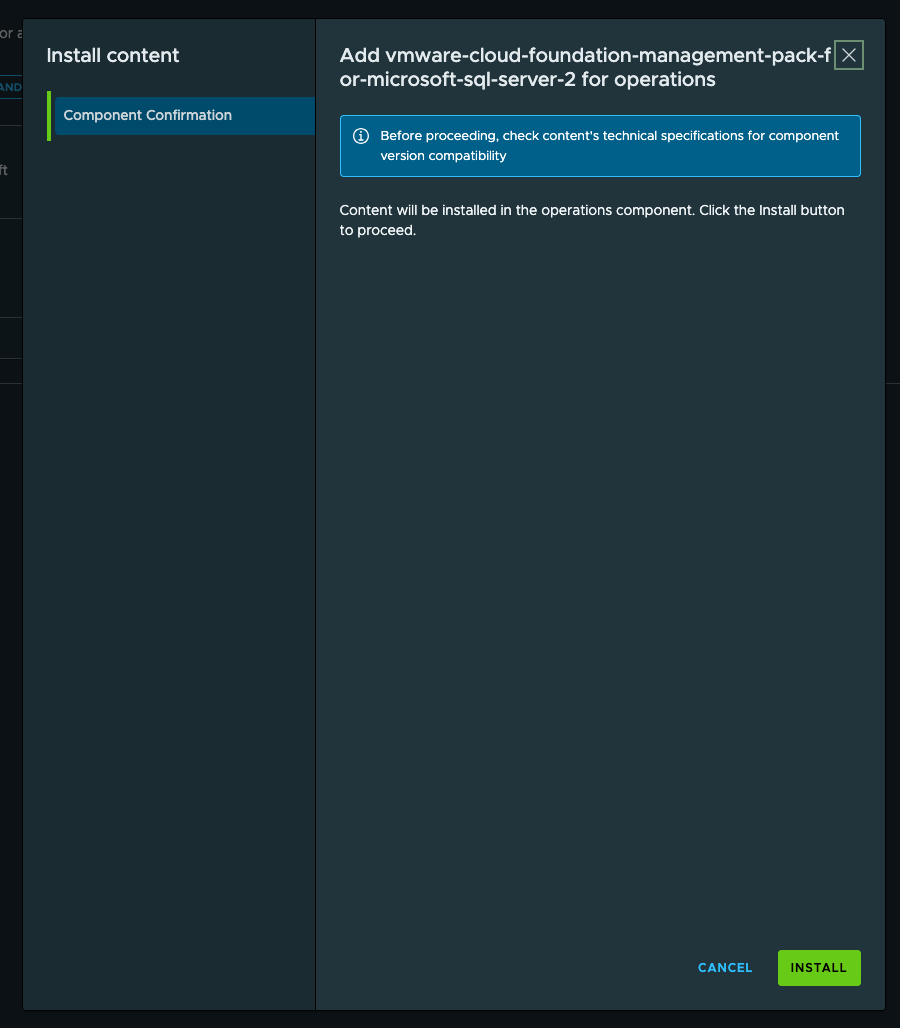
Click INSTALL, which will give you this.

You can watch the progress back on the Lifecycle - VCF Management - Tasks tab.

Once installed it'll look like this.

Now that the Management Pack has been downloaded and installed, we need to configure an Adapter Instance to start using it. Go to Adminstration - Integrations - Accounts - ADD and you'll now see a tile for Microsoft SQL Server.

Select that, provide your target, credentials, VALIDATE CONNECTION, and ADD.

Within 5m you'll be up and running and collecting data.

And we have now have data!

Such an improvement from previous versions, enjoy!


Hey Brock, I'm loving your website with all the VCF Ops tutorials. Do you know what website urls need to be whitelisted on the corporate proxy to be able to access and download the integrations? Thanks