VCF Operations Management Pack Builder Authentication Methods

We've discussed the VCF Operations Management Pack Builder (MPB) a few times so far:
In this blog we'll detail the supported authentication methods and walk through an example of each, there are 5 total:
No Authentication
Basic Authentication
Basic Authentication using Session Authentication
Custom Authentication
Custom Authentication using Session Authentication
All screenshots here are taken from VCF Operations 9.0.2 which has the MPB built-in.

MPB only supports connecting to REST API surfaces and we'll use the VCF Operations REST API itself in these examples.
The easiest method is NO AUTHENTICATION, which can be used for public or non-secure APIs.
The second method is BASIC which requires a Username and Password, which will be used to auto-generate the HTTP header being sent to the API endpoint.
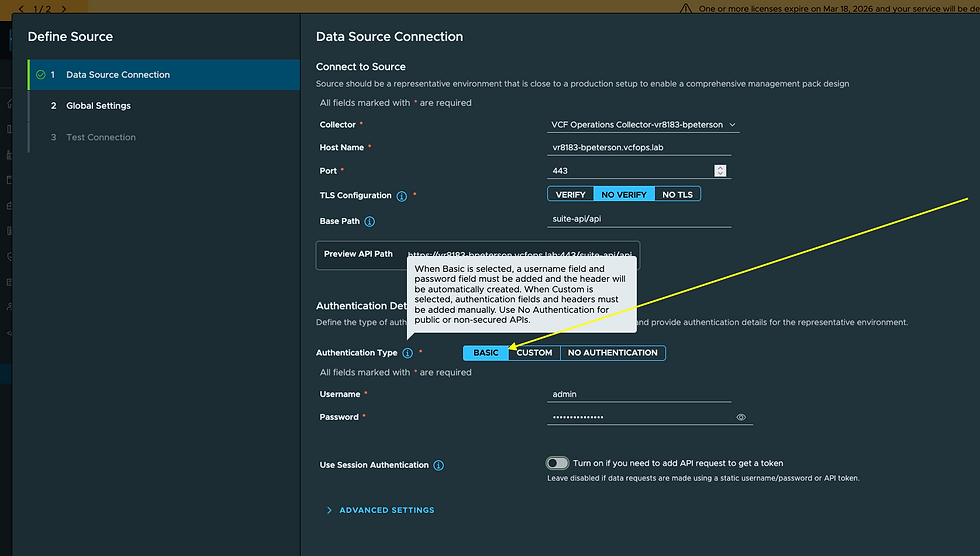
I've provided the Collector to use, the endpoints Host Name, Port, TLS Configuration, and Base Path. These will vary based on the API endpoint you are authenticating against, the Base Path is optional and will be used for subsequent API calls. Once you've added everything click NEXT.

As you can see, the HTTP Header has been created for you, click NEXT.
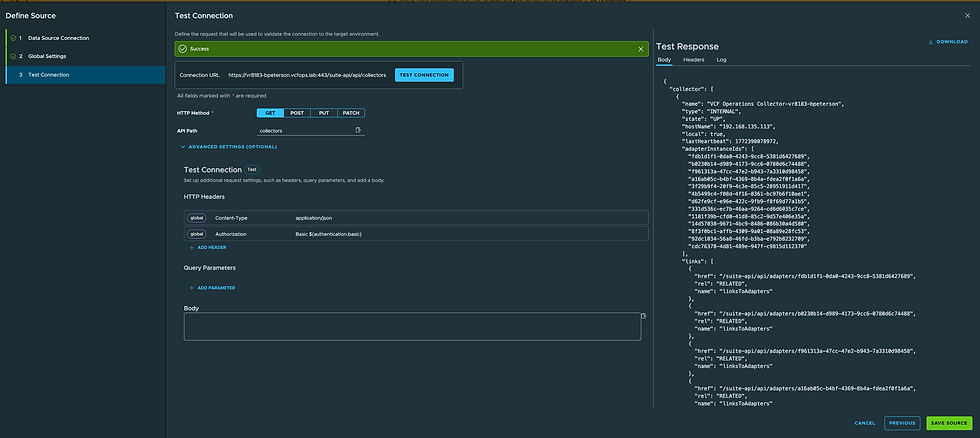
Next you provide an HTTP Method and API Path to run a test connection. This will reach out to the API endpoint, authenticate using your BASIC credentials, and confirm the response. I really like how the Connection URL is populated for you, to ensure you are hitting the API endpoint you think you are. I clicked TEST CONNECTION and got the expected response on the right, which confirms authentication and the API response. Note: whatever you use for this test will be the same test run against your Adapter Instance/s when you configure/test them.
Using Basic Authentication without Session Authentication means you will be authenticating on each API call in your Management Pack. If you want to avoid this you can turn on Session Authentication.

Once you've turned on Session Authentication click NEXT.

Here you will define the HTTP Method and API Path to acquire the authentication token to be used in all subsequent requests. Yours will vary depending on your target, but for VCF Operations itself we do a GET auth/token/acquire with the following Body:
{
"username": "${authentication.credentials.username}",
"password": "${authentication.credentials.password}",
"authSource": "LOCAL"
}
I confirmed this via the VCF Operations API itself.

Once you've entered everything click MAKE SESSION which will confirm you can acquire a token.

Click NEXT.

Here you can see your Session Fields, including the Token previously generated, which will be used for all subsequent calls. You'll add this token to your HTTP Header. In the case of the VCF Operations API, it should look like this. Click NEXT.

In step 4, you can release the session as well. In the case of VCF Operations itself this will be a POST auth/token/release. Clicking RELEASE SESSION configured the release. Releasing API session will help avoid them from accumualating on the API server.
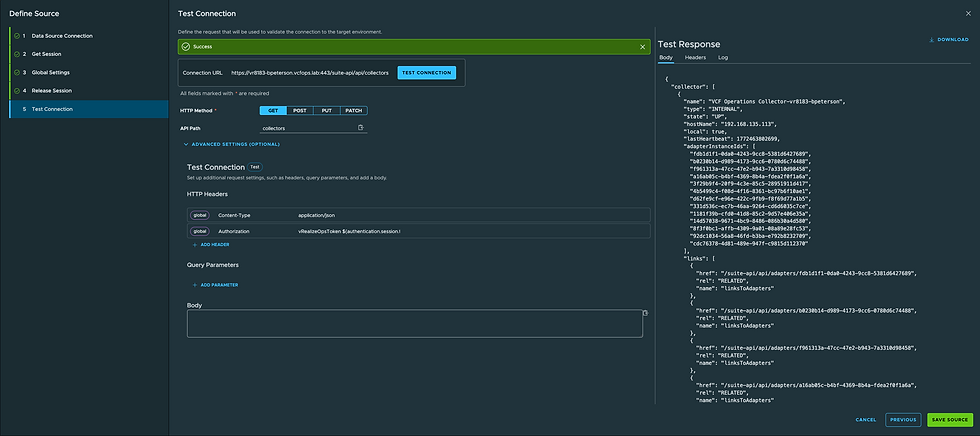
In step 5, you can confirm a test connection.

This concludes the Basic Authentication and Basic Authentication with Session Authentication methods. Next we'll cover the Custom Authentication methods.
Custom Authentication can be used when we need more than just Basic Authentication. For example, we might be using long-term API Tokens or require additional custom fields for authentication. Let's walk through an example, in my case I've acquired an API token via the VCF Operations Swagger API surface and would like to use that.
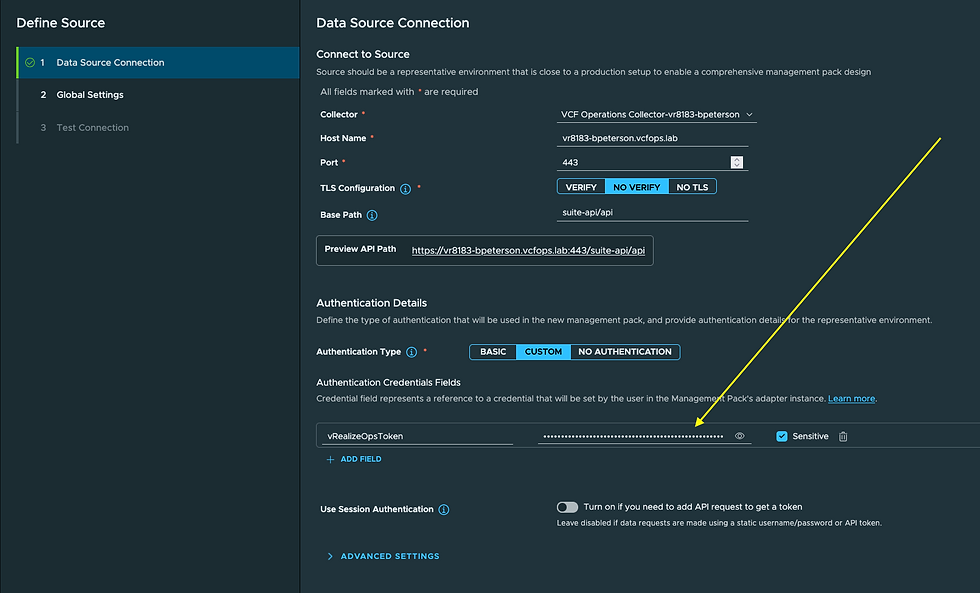
In step 2 I build that into the HTTP Header (this is done automatically for you using Basic Authentication).

I then test in step 3 against an API endpoints of my choice.

Another way to use Custom Authentication would be to provide credentials and use Session Authentication to acquire an API Token.
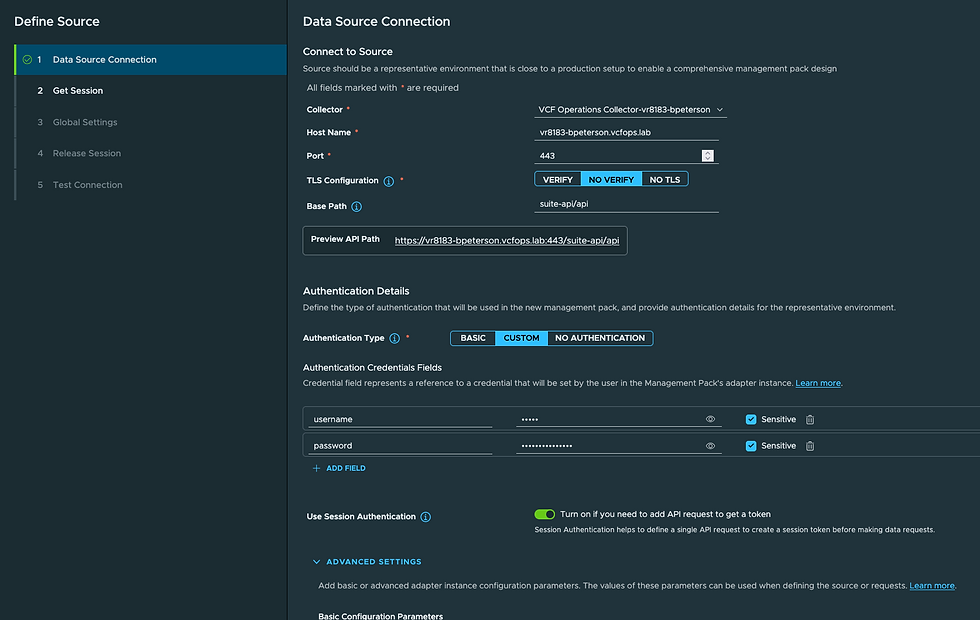
Here I've provided my credentials and enabled Session Authentication.
In step 2 I acquire a token using those credentials just like we did with Basic Authentication.

Click MAKE SESSION to confirm it works.

In step 3 we'll use that API token in our HTTP Header.

In step 4 we'll confirm we can release the session.

In step 5 we test a collection.
The VCF Operations Management Pack Builder team has done a great job providing flexibility for us. I recommend starting with Basic Authentication where you can and go to Custom Authentication if necessary. Thanks to Broadcom Principal Engineer Mark Arbogast for consulting on this blog. Hope it was helpful, enjoy!


Comments