vCommunity Management Pack for VCF Operations Part 2

In our last blog we introduced the vCommunity Management Pack for VCF Operations. We went into detail around installation, configuration, and the first four use cases ESXi Advanced System Settings, ESXi Software Packages, VM Advanced Parameters, and VM Options. Today we will discuss the next two use cases: Windows Services and Events.
If you recall, the vCommunity Management Pack comes with several configuration files, as shown here.

The windows_service_list.xml configuration file is used to capture Windows Services on VMs, it looks like this.
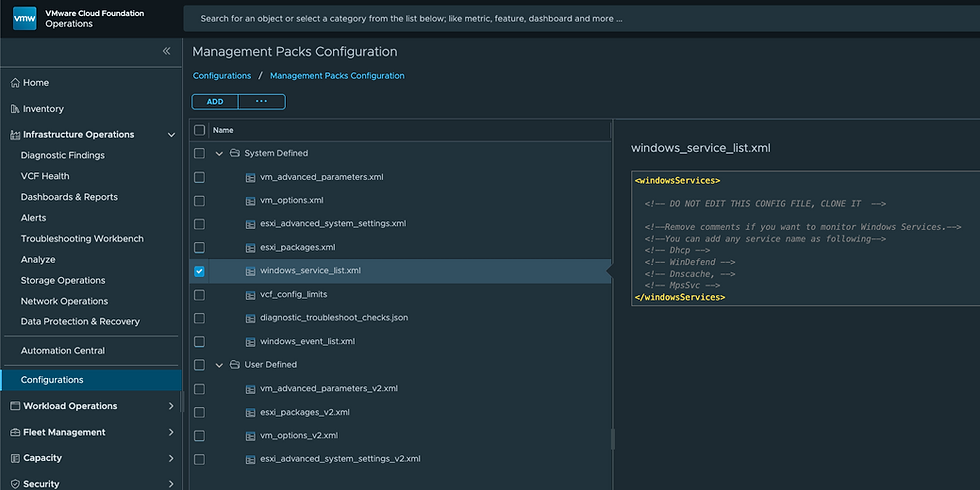
You'll want to clone this and edit as necessary. Names listed here are the Service name in Windows.

You can add whatever Services you'd like to your configuration file. Here I've added some MSSQL related Services.

I adjusted the vCommunity Adapter Instance to use this newly cloned configuration file.

I've also added a Windows User Name to my vCommunity Adapter Instance credential. This can be a general user account on your Windows VMs, no special permissions required.

The Services will now show like this on a VM running MSSQL.

You can now create Dashboards, Reports, Views, and Alerts against these properties!

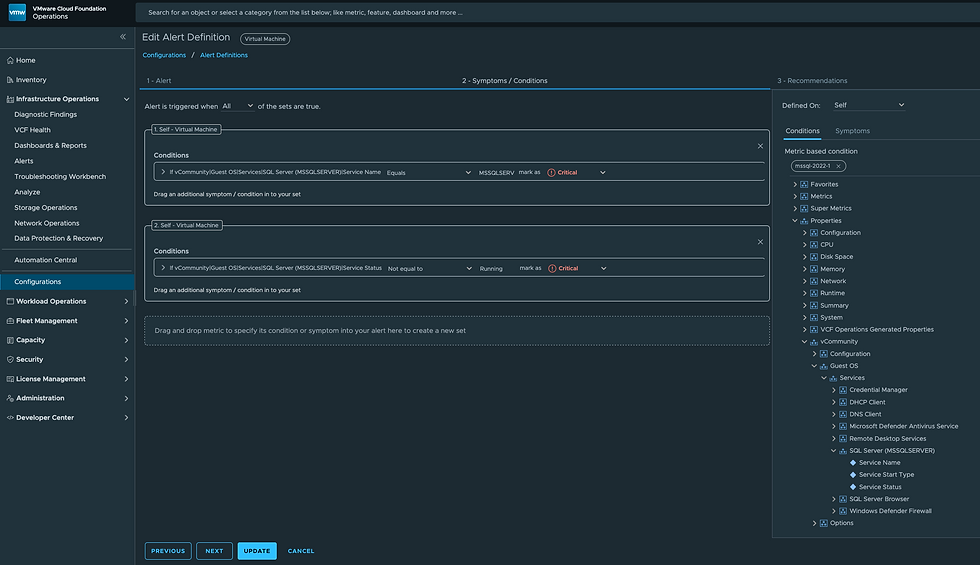
Here's what an Alert Definition against an MSSQL Service might look like.
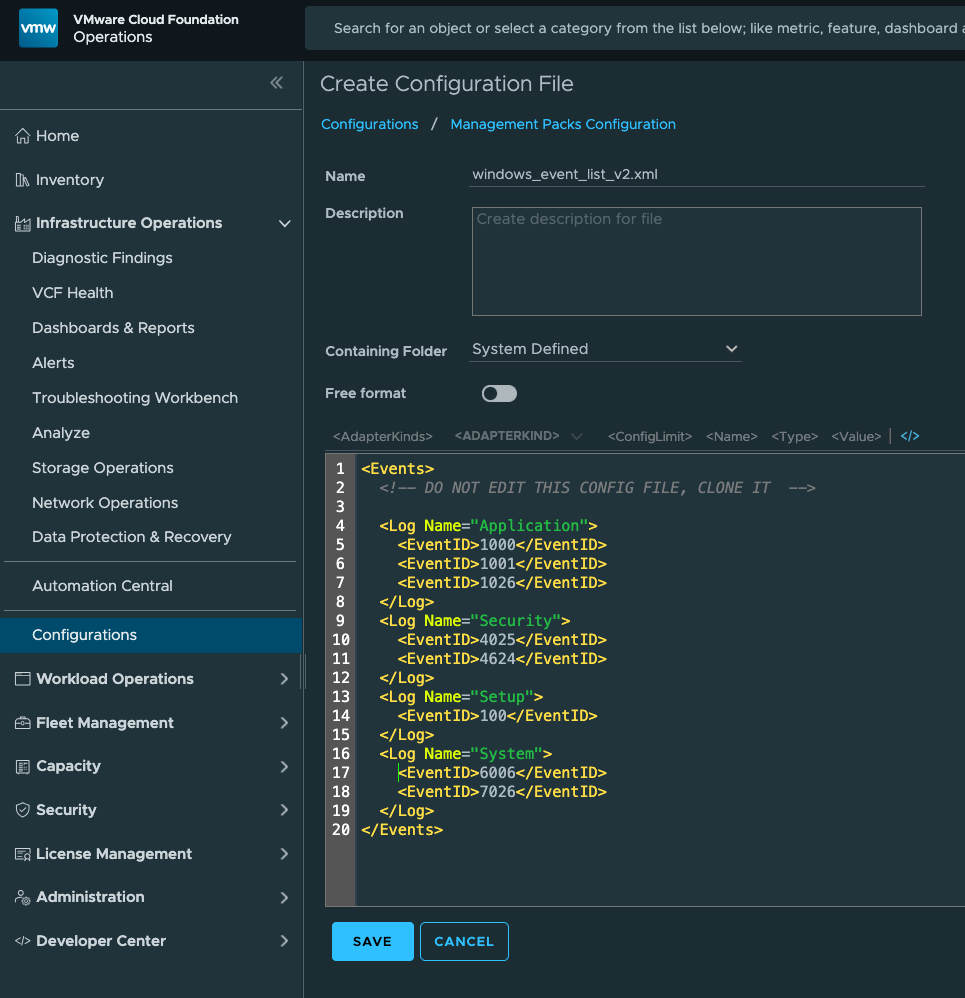
The next use case is capturing Windows Events, which you can configure by cloning the windows_event_list.xml file and adding the Event IDs you'd like to capture. Mine looks like this.
Then tell your vCommunity Adapter Instance to use that newly cloned configuration file, mine looks like this.

Also, be sure to enable both the Service Monitoring and Windows Event Log Monitoring in Advanced Settings.
Upon detection, they are imported into VCF Operations as Notification Events.

Clicking an Alert will give you the details of the Windows EventID triggered.

We now have the ability to monitor Windows Services and Windows EventIDs without Agents, so powerful!


What permissions does the user account need to have, thanks
Unfortunately this management pack does not work on VCF Operations 9.02. Can't connect to a vcenter via FQDN or IP. Needs more work before using in a production environment :)