Put Newly Built ESX Hosts into Operations Maintenance Mode until they go Live

Updated: Sep 19
You're building ESX Hosts and don't want to be Alerted on them until they go live, how to do it? Of course, you can log into VCF Operations and put the specific Host/s into Operations Maintenance Mode via the UI if you'd like. You can put them into Operations Maintenance Mode via API if you'd prefer. Both methods are covered in a previous blog.
Another way to do it involves vSphere Custom Attributes, a Custom Group, a Custom Policy, and a Maintenance Schedule, here's how.
First, at build time I put a Custom Attribute on my ESX Host called Operations Maintenance Mode, which will have values of TRUE (still being built) or FALSE (went live).

You could use vSphere Tags to do this as well, but I prefer Custom Attributes because they present nicely in VCF Operations (key:value pair).
Next, I created a Custom Group that contains all ESX Hosts with that Custom Attribute set to TRUE.
Next, I created a Maintenance Schedule that repeats daily (for the entire day) which expires at the end of the year. You can adjust this to meet your needs.
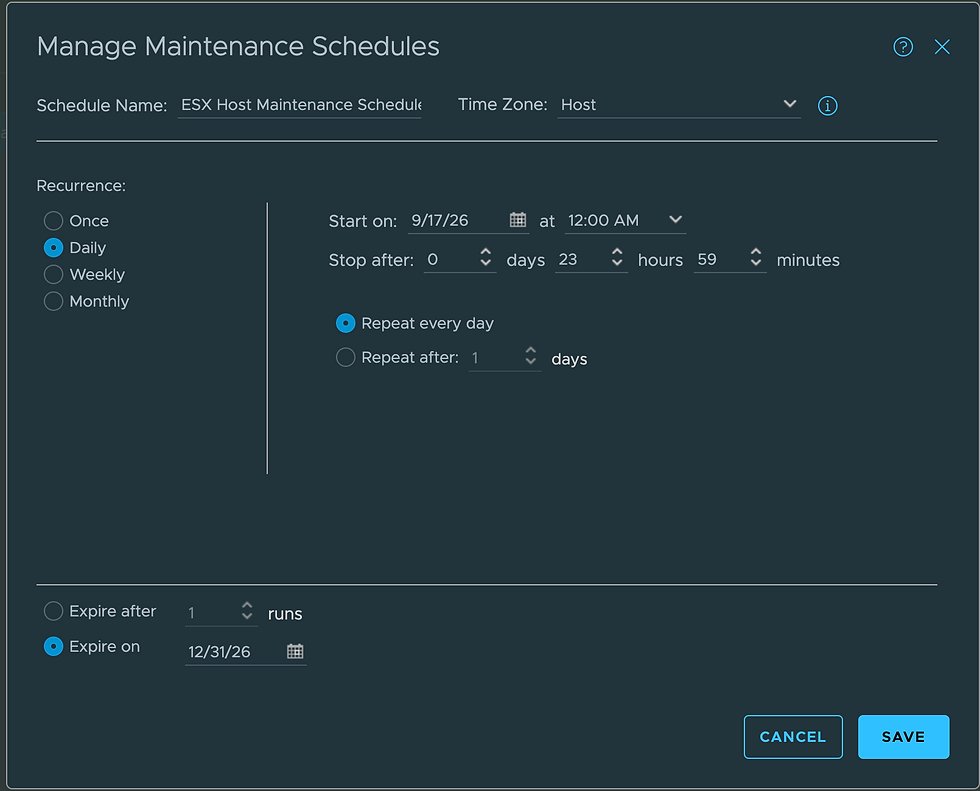
Lastly, I needed a Policy to combine these three things.
After adding the Custom Group and the Maintenance Schedule, the ESX Host that has the Custom Attribute Operations Maintenance Mode = TRUE.
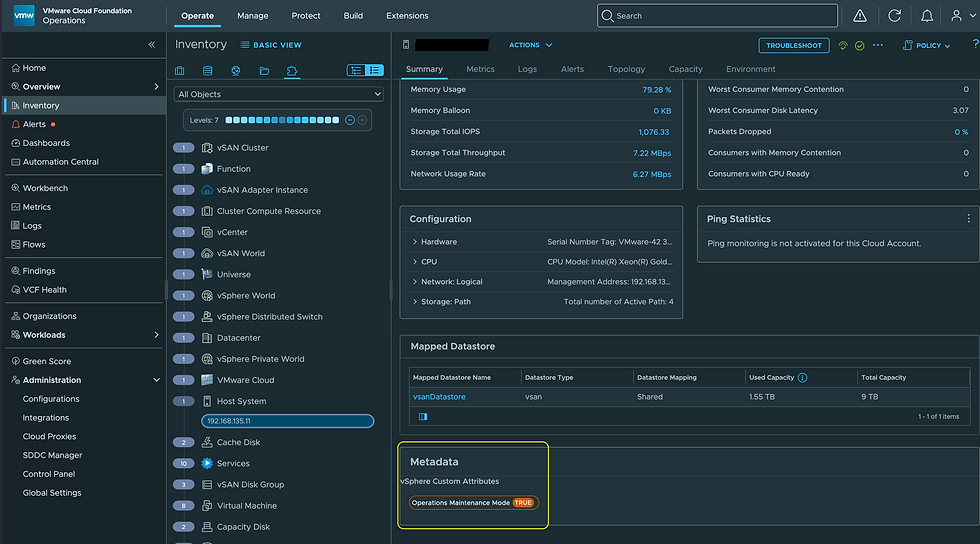
Now looks like this.

Once in Operations Maintenance Mode, no Alerts will be generated against this ESX Host (no metrics/properties will be collected either). Taking it out of Operations Maintenance Mode will have to be done manually, adjust the Custom Attribute to FALSE, and/or remove the Maintenance Schedule. Hope this was helpful, enjoy!


Hi Brock, unfortunetely the last part will not work as described, while once host (object) is in maintenance, vrops will stop collecting property changes, which is also valid for the changes of the attibute/tag..... possibly only way is to end the schedule