VCF Operations Alerts on vCenter adminstrator@vsphere.local Password Changes

Updated: May 4
I wanted to know when the administrator@vsphere.local password changed on my vCenter, this is how I did it.
First, in vCenter, when you change the administrator@vsphere.local password you'll notice an Event is generated.

The Event Type IP is com.vmware.sso.PrincipalManagement. To confirm these Events are being received by VCF Operations, you can check the EventList.txt file in /usr/lib/vmware-vcops/user/plugins/inbound/vmwarevi_adapter3/conf. We've discussed adjusting this file before for new vCenter Events, which we had to do in this case. I added the com.vmware.sso.PrincipalManagement Event Type to the file and restarted the Analytics server. The end of my Eventlist.txt now looks like this.
root@vr8183-bpeterson [ /usr/lib/vmware-vcops/user/plugins/inbound/vmwarevi_adapter3/conf ]# cat eventlist.txt | grep -i sso
# vim.event.ProfileAssociatedEvent
# vim.event.ProfileDissociatedEvent
com.vmware.sso.PrincipalManagement
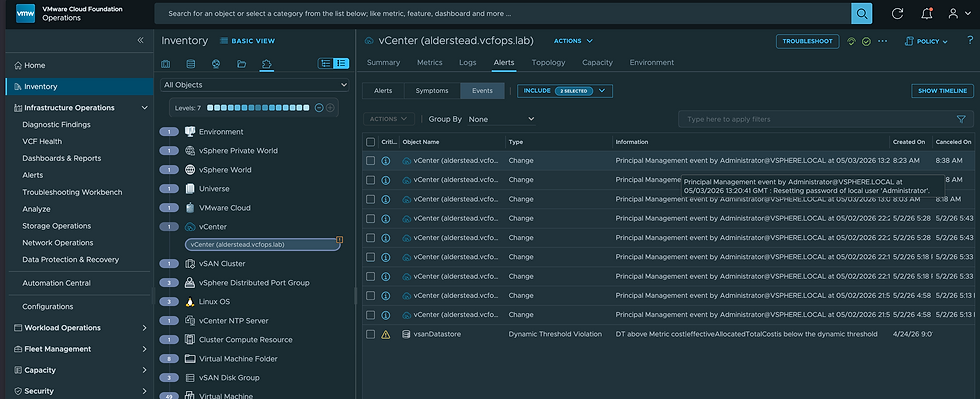
Now when I change the password of administrator@vsphere.local you'll see Events coming into VCF Operations.
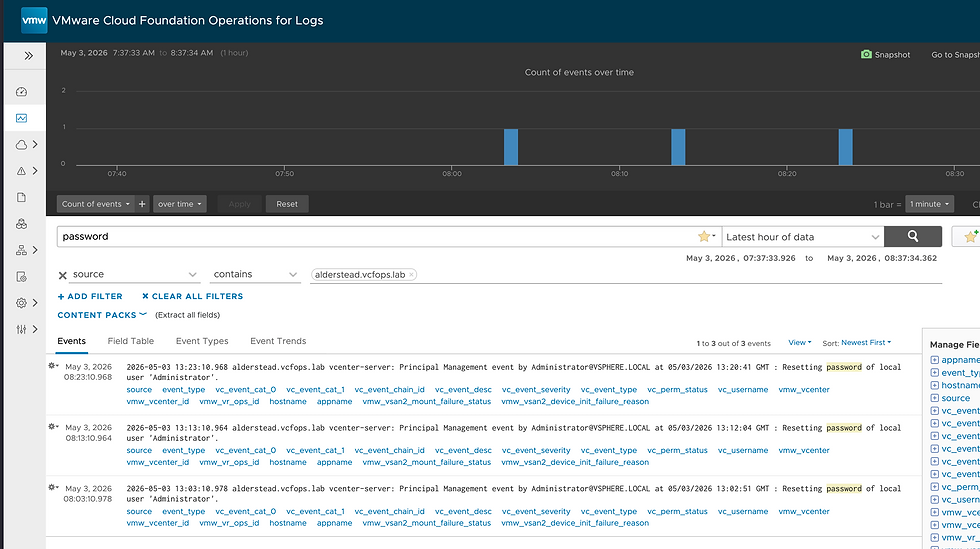
For what it's worth, these Events will also show in Operations for Logs.
I could create an Alert/Notification in Operations for Logs, but I'd like to do it from VCF Operations. So, I created a Symptom Definition to capture them, it looks like this.
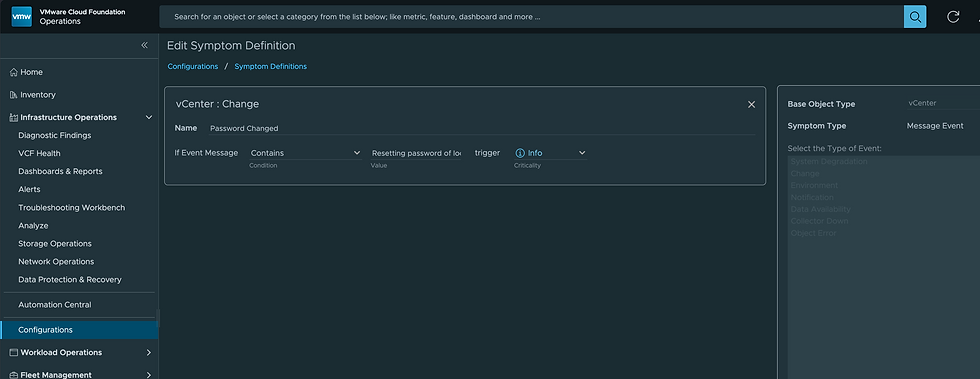
Then I created an Alert Definition using that Symptom Definition.

Now when I change the adminstrator@vsphere.local password you'll notice a new Active Symptom.

Which has generated an Alert for us!

Exactly what we wanted! We can now make notifications against the Alert if we'd like, hope this was helpful!


Comments