Deploying a fresh instance of VCF Automation 9.0.2

I have an old 9.0.2 lab running VCF Operations, Logs, and Fleet Manager, but no Automation, let's deploy it!
Log into VCF Operations and go to Fleet Management - Lifecycle - Components - ADD COMPONENT. Of course my Depot has the VCFA 9.0.2 Binaries in it.
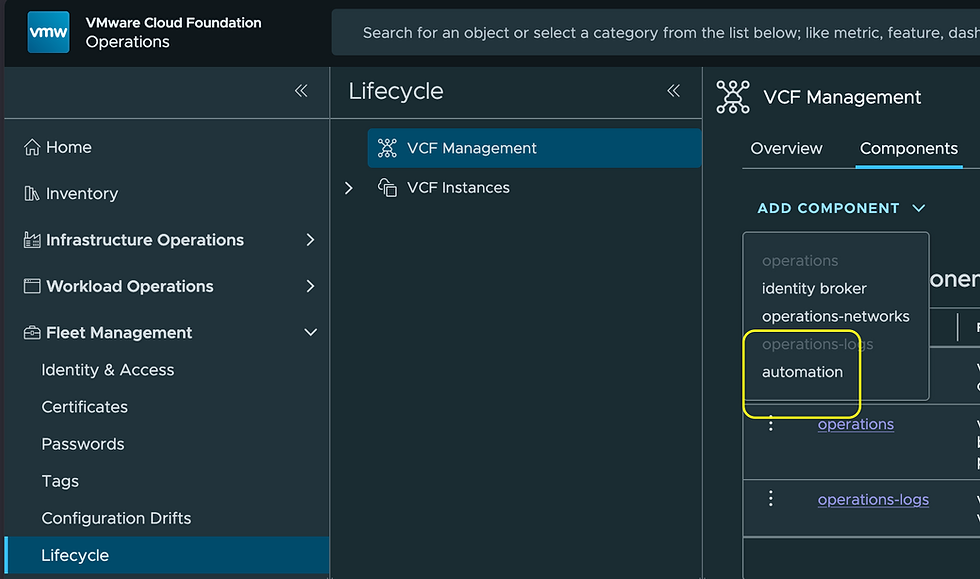
Select automation.
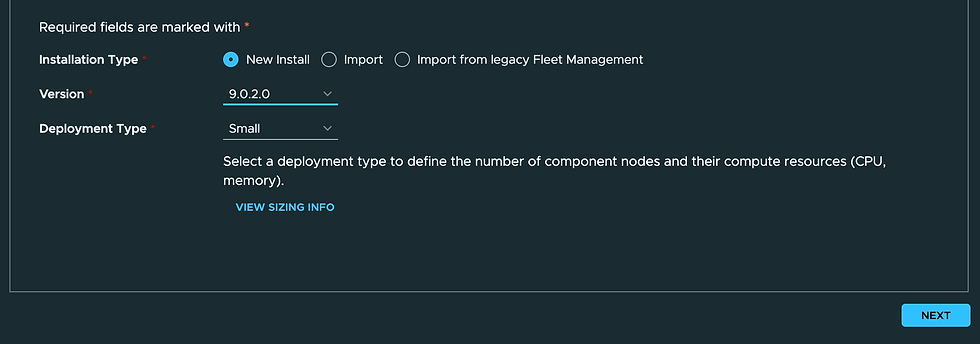
Select the New Install radio button, the Version you want to install (in my case 9.0.2.0), and select the Deployment Type (in my case Small). Click NEXT.

Click the + button to add a Certificate.

Give your Certificate an Alias, Common Name, Organization, OU, and Country Code. Add your list of FQDNs to the Server / FQDN field, I used four FQDNs here. Add your list of associated IPs to the IP Address field. Click GENERATE then click NEXT.

Select your vCenter, Cluster, Network, and Datastore. Click NEXT.

Provide your Domain Name, Domain Search Path, DNS Server/s, Gateway, and Netmask. Click NEXT.

Provide an FQDN, I used the first from the list I provided in my Certificate.

Provide an FQDN (same as above) and select the Controller Type (in my case Internal Load Balancer).

Provide the Primary VIP (same as above).

Click ADD CLUSTER NODE IP POOL.
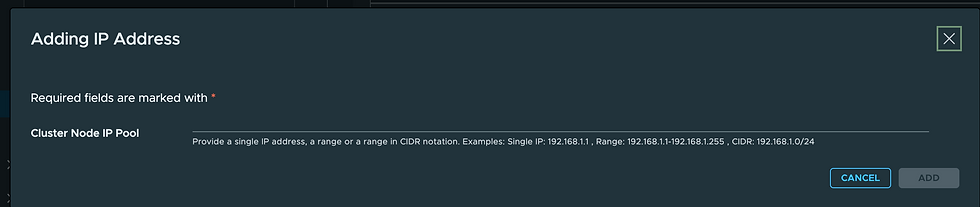
Add your Cluster Node IP Pool here, I provided 3 additional IPs. Click ADD. Click NEXT.

Click RUN PRECHECK.

Confirm all is well and click NEXT.

Click SUBMIT.

Watch progress here until it completes, mine took about 90 minutes.

Back on the Components tab you'll see your fresh deployment of VCFA 9.0.2.

Which you can now access via the VIP FQDN you provided at build time. We'll start by accessing the Provider Portal Organization which is system. I think of this as the VCFA admin UI.

Click CONTINUE.

The System Organization userid is admin, give it the password you provided at deployment time. Click LOG IN.
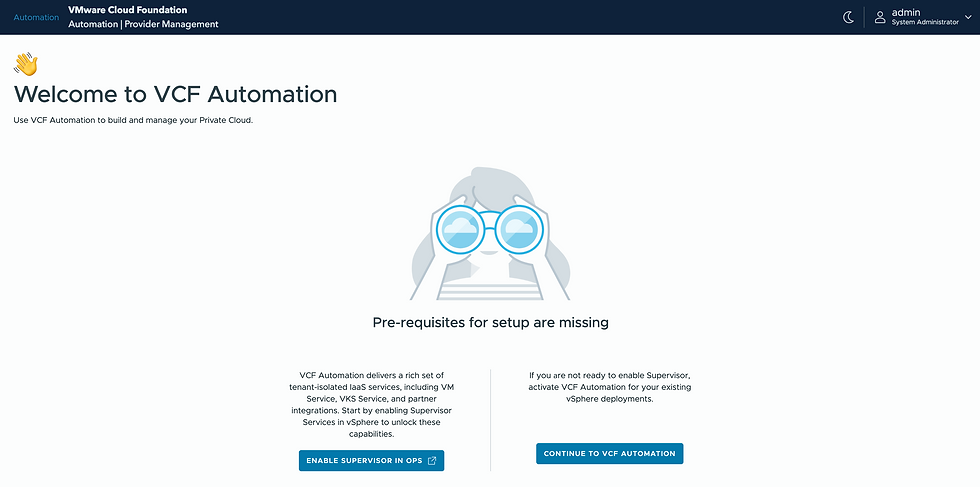
And you're in. There is more to do here, but that will be another blog. Hope this was helpful, enjoy!


Comments