VCF Operations for Logs Harvester Part 2

The previous blog detailed harvesting log events from VCF Operations for Logs via the VCF Logs Harvester tool. That first release was command line only, but a teammate of mine (Scott Bowe) suggested a GUI for those that are more visually included, so here you go.

All the details are in the README, but to use the GUI run this.
python3 vcf_logs_harvester_gui.pyIt'll launch the GUI and wait for your input.

I ran a simple query looking for the "logged in" string including the IP address associated with VM vcfopscp-135-140. A few things to note here, first you can save the query results to a file if you'd like (.log, .txt, .json, and .csv formats).
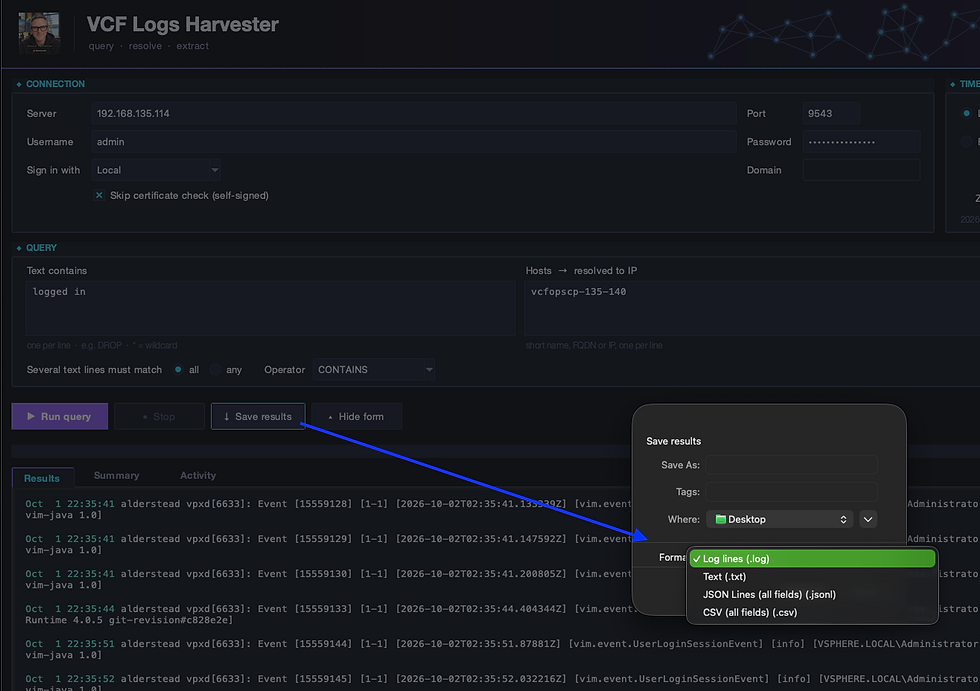
Second, there is a Summary tab at the bottom which will provide some insight into the log events over time, log patterns, and highlights.

Third, the Activity tab will provide output similar to running the tool command-line.

Finally, I added the ability to customize your banner by adding an image.

Hope this is helpful, enjoy!


Comments