vCommunity Management Pack for VCF Operations Part 5

We've discussed the vCommunity Management Pack for VCF Operations several times here (and Hardware vCommunity):
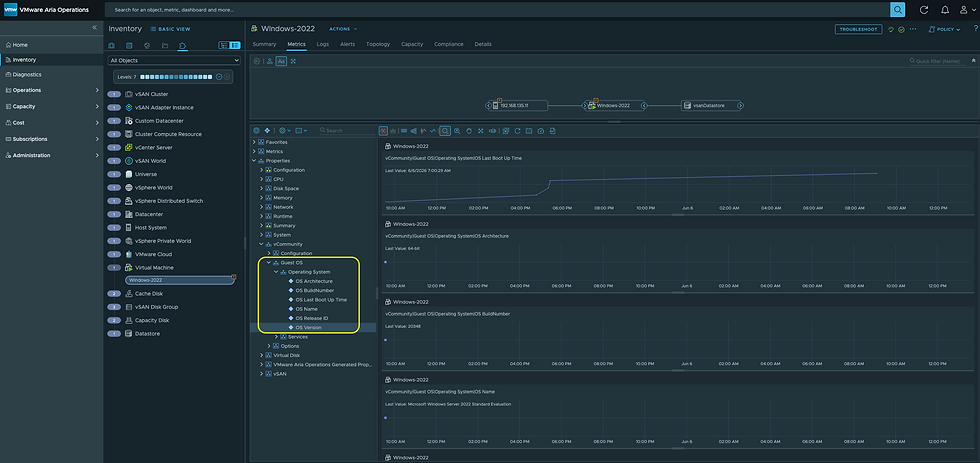
In the Part 2 Blog we discussed the ability to monitor Windows Services and Events, but we skipped over a smaller feature (Guest OS Properties), this is what they look like.
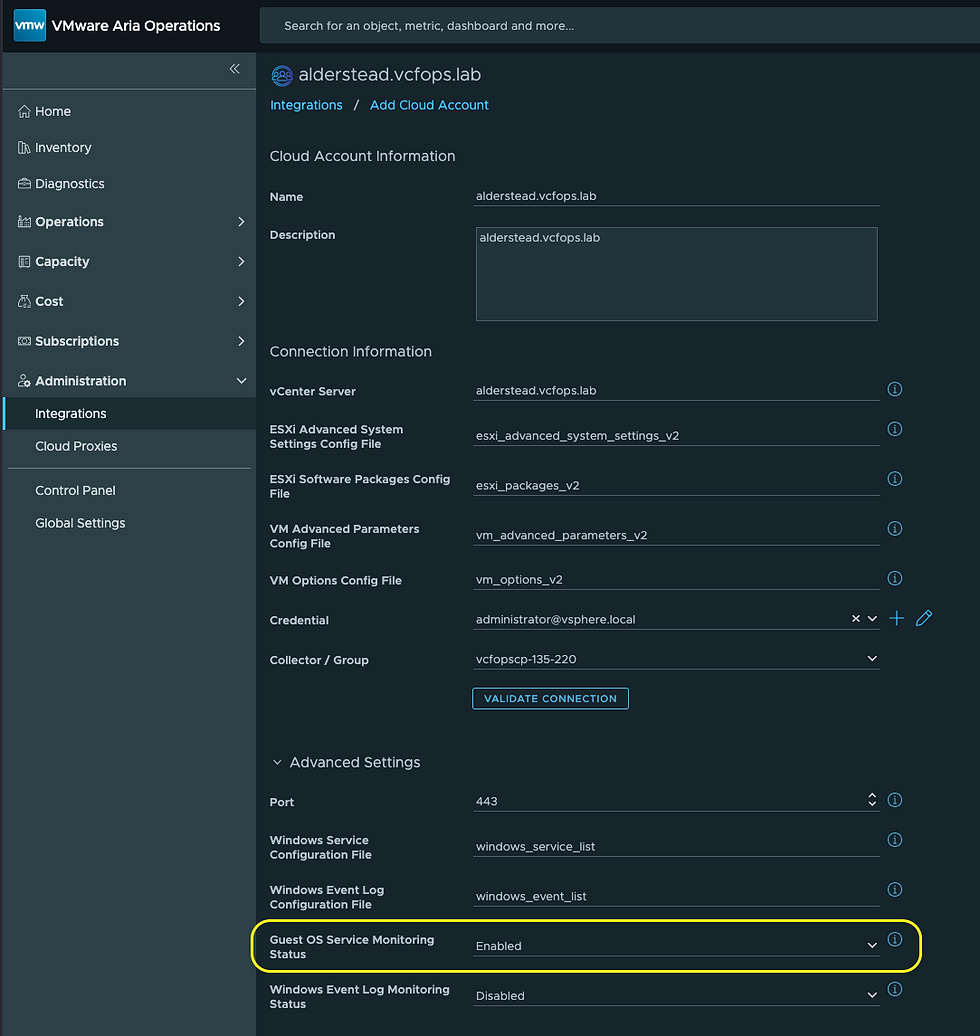
In order to get these Guest OS Properties you need your vCommunity Adapter Instance/s configured with these two settings. First, you need a Windows User Name configured in your vCommunity Adapter Instance credential, like this.

This is a local user available on all Windows VMs your vCommunity Adapter Instance is discovering. I'm using administrator here, but a general user will suffice.
Second, you must have the Guest OS Service Monitoring Status Advanced Setting Enabled in order to capture the Guest OS Properties.
Hope this was helpful, enjoy!


Comments