Aria Suite Lifecycle Manager 8.18 Patch 3

Aria Suite Lifecycle Manager (ASLCM) 8.18 Patch 3 dropped last week, you can download it here, and review Release Notes here. Before applying it, be sure to review this KB. It includes a script to be run before applying Patch 3. Let's go!
We'll start by taking a Snapshot of the ASLCM VM in vCenter. Once done, download the script run in the KB.

Once downloaded, upload it to /data on your ASLCM VM, and follow the steps in the KB. When I run the script it looks like this.

After running the script, follow the remaining steps in the KB, mine looks like this.

In step 6 we SCP the 8.18 PATCH3 binary up to /data on the ASLCM VM. Once uploaded go into Lifecycle Operations - Settings - Binary Mapping - Patch Binaries - ADD PATCH BINARY. From there input Source Location /data and click DISCOVER. Once discovered, select it and click ADD.

You can watch progess via Requests.

Once done it will look like this.

Back in Settings - Binary Mapping - Patch Binaries it will look like this.

Next go to Settings - System Patches - NEW PATCH.

Select NEW PATCH top right.
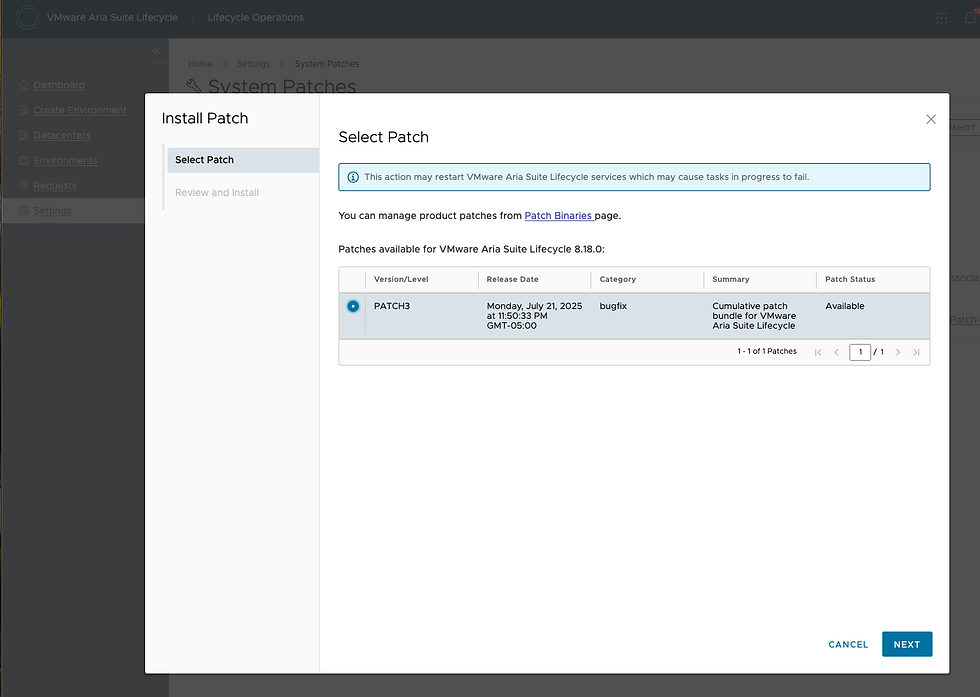
PATCH3 will be discovered, select it and click NEXT.

Click INSTALL and watch the progress.

ASLCM VM wll reboot.

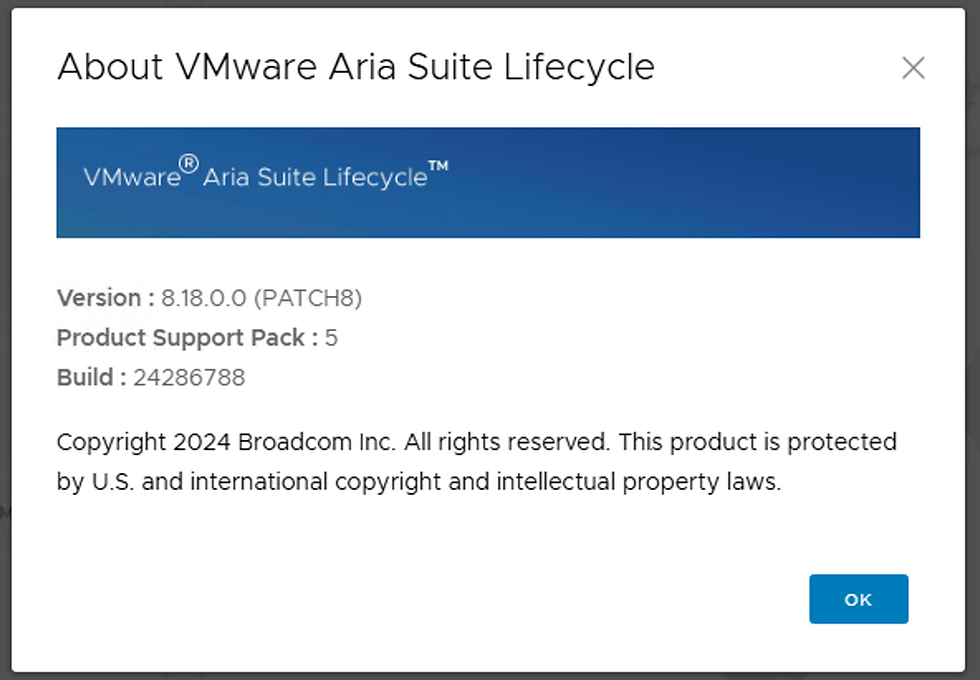
Once back up you can confirm 8.18 PATCH3 has been applied via the About page.



Note the "Before you begin" notes from the Release Notes. If VMware Identity Manager is installed and managed by VMware Aria Suite Lifecycle, install the VMware Identity Manager 3.3.7 security patch before installing the VMware Aria Suite Lifecycle patch. For information on how to apply the security patch, go to KB 404054 (https://knowledge.broadcom.com/external/article/404054).
After patching IDM, I ran into a visual bug on the VM console, but everything else was fine.. You can run through the resolution steps from https://knowledge.broadcom.com/external/article/406308 to fix it.
Thankfully, I was able to successfully upgrade LCM before KB 406032 was published.