VMs with Tags, How to find them via the VCF Operations API

We've discussed vSphere Tags in VCF Operations a couple times before:
I wanted to capture all VMs with a certain vSphere Tag via the VCF Operations API, it didn't work exactly like expected, here are the details.
The VMs I wanted to pull look like this.
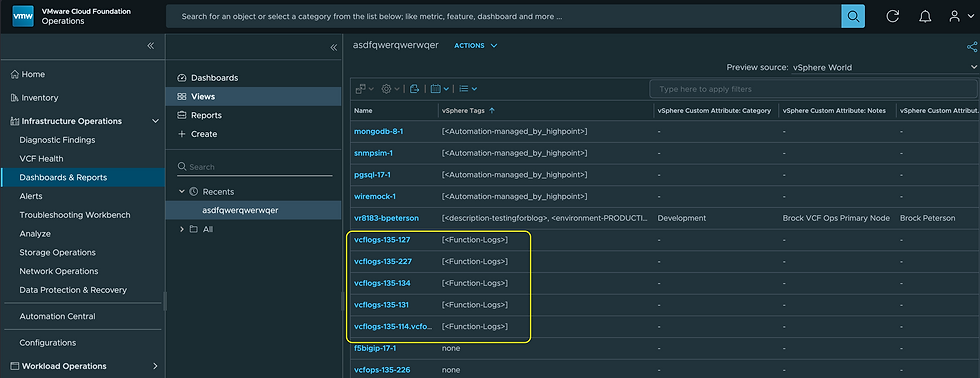
Looking at the Properties for one of these VMs via GET /api/resources/properties, it looked like this.

So I'm looking for all VMs with this property:
{
          "name": "summary|tagJson",
          "value": "[{\"category\":\"Function\",\"name\":\"Logs\"}]"
},
I went to the GET /api/resources endpoint and ran a query with this filter.

But it returned nothing.

Huh? I know there are VMs with that vSphere Tag on them. I ended up adjusting the query filter to this and got what I wanted.

Just had to remove the "\" characters from the propertyValue and it worked as expected. My result now shows the 5 VMs I expected.

All cURL commands are included in the screenshots above. I hope this saves somebody the headache of searching for VMs with vSphere Tag filters against the VCF Operations API, those darn back slashes, enjoy!


Comments